
Reviewing Submissions
This guide is for FriendlyHub reviewers. It covers what to check, what not to gatekeep on, and how to give useful feedback.
Review Philosophy
FriendlyHub follows the Friendly Manifesto. The review process exists to keep users safe, not to enforce taste. Reviews should be quick, fair, and respectful.
What to Check
When reviewing a submission, focus on these three areas:
Safety
- Does the app do what it claims to do?
- Are there any signs of malicious behaviour (e.g. data exfiltration, crypto mining, bundled malware)?
- Are the requested sandbox permissions reasonable for what the app does?
The automated permissions audit flags dangerous permissions like full host filesystem access, root filesystem access, system D-Bus access, and access to all devices. If these are flagged, check whether the app genuinely needs them and whether the developer has explained why.
Accurate Metadata
- Does the app name match the actual application?
- Does the summary/description accurately describe what the app does?
- Do the screenshots show the actual app?
- Is the licence correct?
Working App
- Did the build succeed? (This is already enforced -- submissions only reach the review queue after a successful build.)
- Does the AppStream metainfo include the minimum required fields?
What Not to Gatekeep On
Do not reject or request changes based on:
- Icon quality or design -- The developer chose their icon. It's their app.
- Naming conventions -- We don't enforce GNOME HIG, KDE naming guidelines, or any other desktop environment's conventions.
- Toolkit or framework choice -- GTK, Qt, Electron, Flutter, Tauri, SDL, ncurses in a terminal -- all welcome.
- Code quality or architecture -- We're not doing code review. The build works or it doesn't.
- App complexity, size, or scope -- A single-purpose utility is as welcome as a full office suite.
- Development tools used -- AI-assisted, hand-written, generated, low-code -- we don't care how the code was written.
- Aesthetic preferences -- If you personally think the app is ugly, that's not a review concern.
Giving Feedback
Approving
If the submission passes all checks, approve it. No notes needed, though a brief "Looks good" is always nice.
Requesting Changes
If something needs fixing, select "Changes Requested" and provide:
- What needs to change -- be specific
- Why it needs to change -- cite which review criterion it falls under (safety, metadata accuracy, or functionality)
- How to fix it -- if you can suggest a concrete fix, do so
Good feedback:
The description says "photo editor" but the screenshots show a text editor. Please update the description or screenshots to match the actual app.
Bad feedback:
Description doesn't match.
Tone
Be professional and friendly. Remember that many developers are submitting for the first time. A hostile review can permanently drive someone away from the platform.
There is no "rejected" status in FriendlyHub -- only "approved" or "changes requested". The assumption is that every submission can be fixed. If a submission has fundamental safety issues, request changes and explain what needs to happen.
Response Time
We aim to review submissions within 48 hours. If the queue is backing up, prioritise first-time submissions -- waiting for your first review is the most stressful part of publishing an app.
The Review Queue
Access the review queue from Dashboard > Review Queue (visible to reviewers and admins only). Submissions appear in the queue after automated checks pass and the build succeeds.

Each submission shows:
- The app name and ID
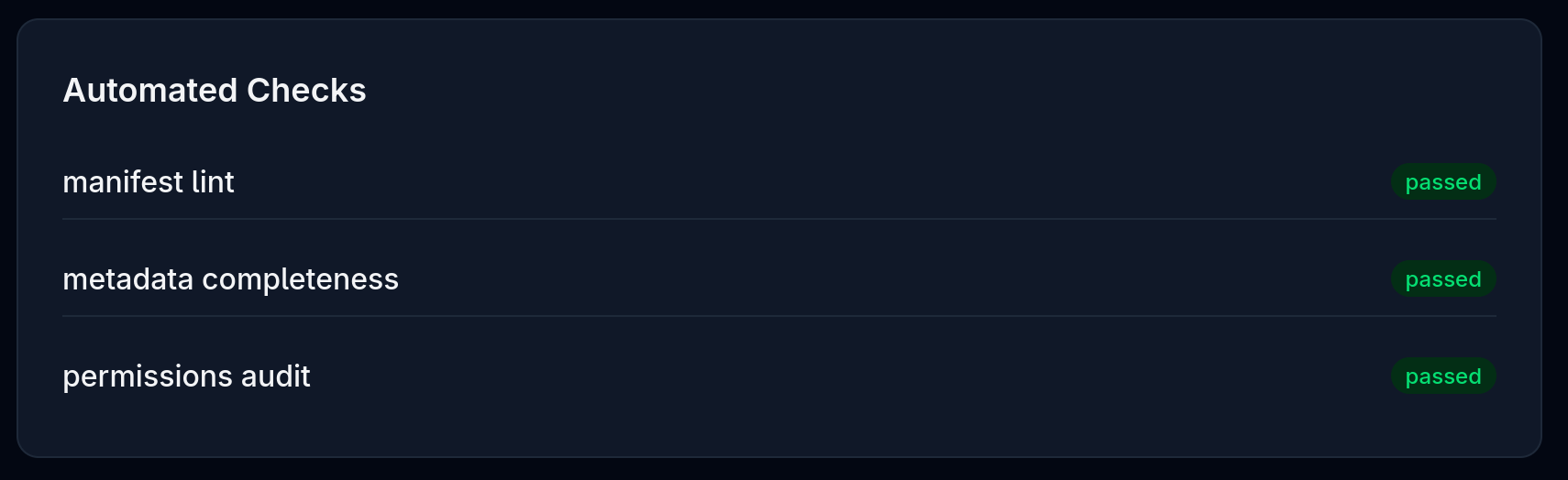
- Automated check results (manifest lint, permissions audit, metadata completeness)
- The manifest and metainfo content
- Build status and logs
Before starting a manual review, ensure the automated checks have passed:
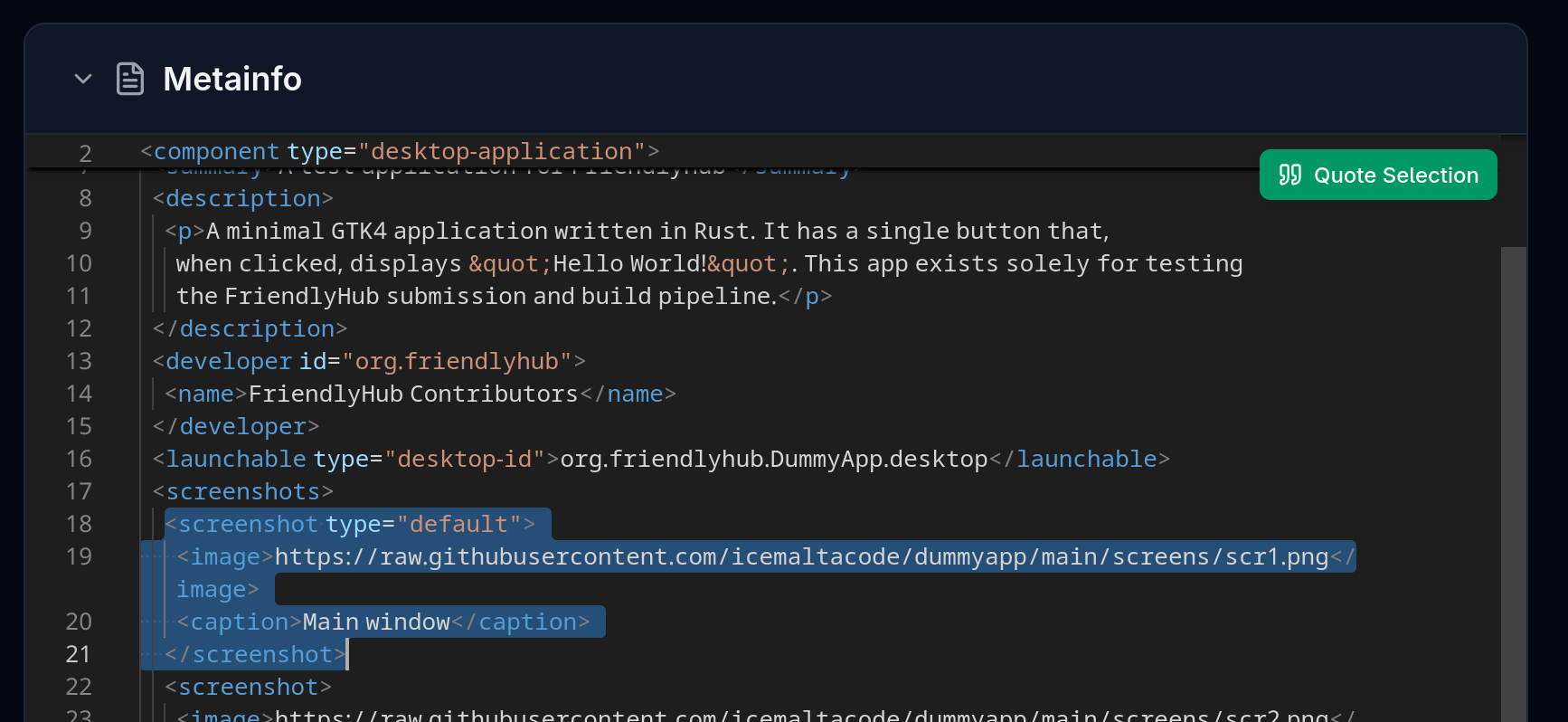
Whilst reviewing the manifest and appstream metadata, you may find sections you wish to refer to in your review. Highlight the relevant lines and use Quote Selection to mention these in your review.
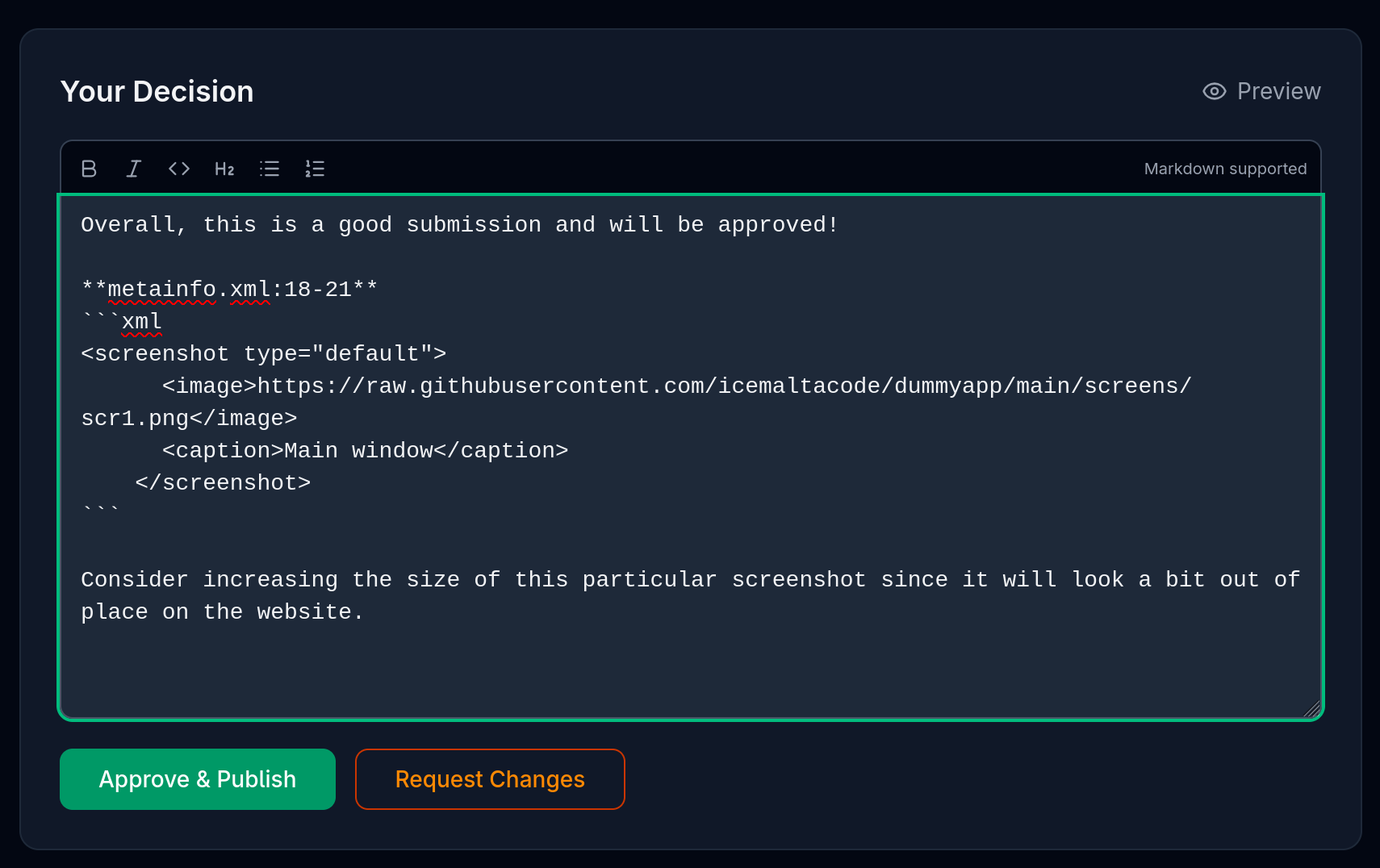
You can use markdown formatting in your review comment. A simple editor is provided.
Before submitting your comment(s), you can preview what the developer will see.
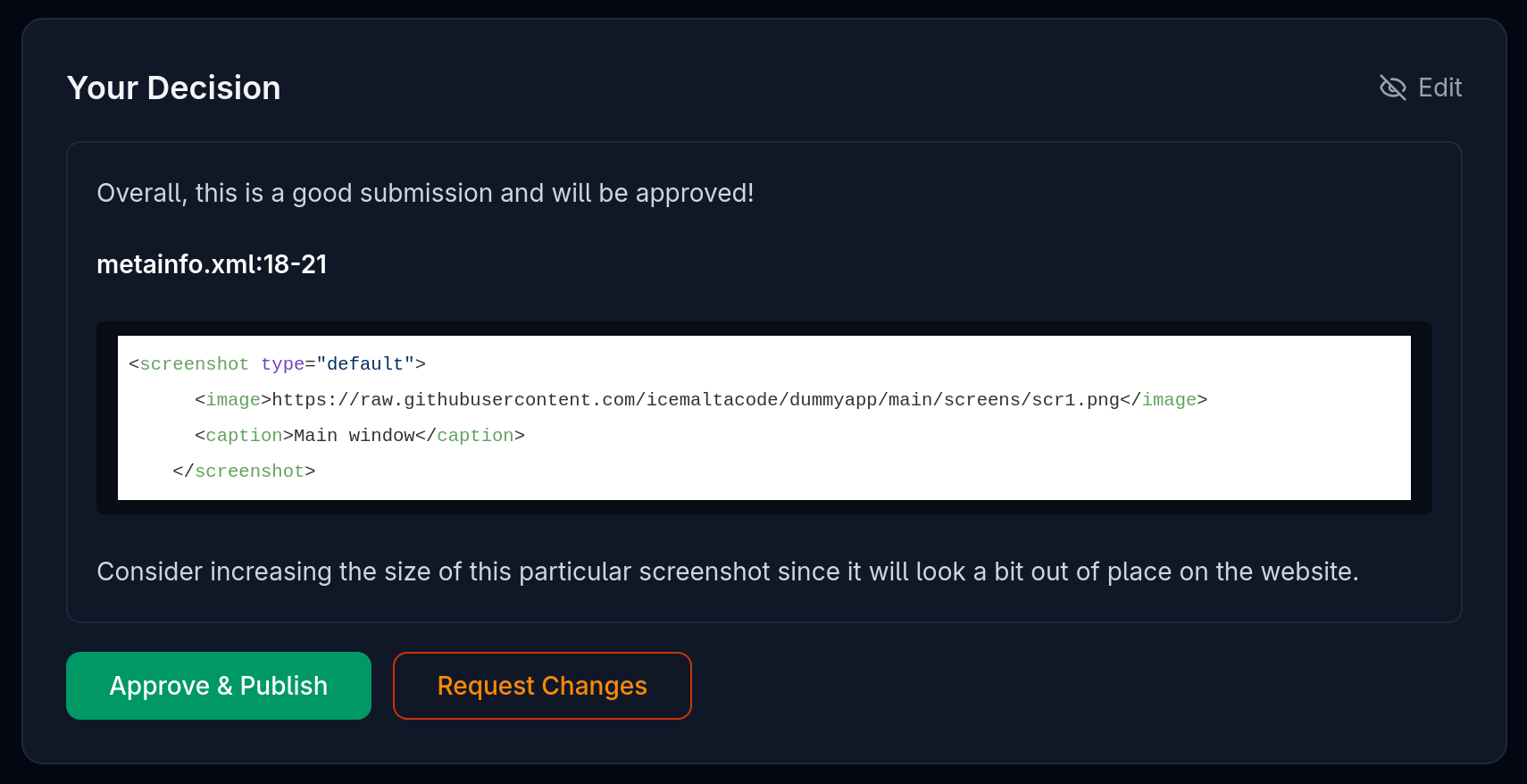
If you accept a review, FriendlyHub will trigger the synchronisation process and the app will be available within 2 minutes.